IT outsourcing has become the go-to strategy for American businesses that want to grow without the headache of building an in-house tech team from scratch. In simple terms, IT outsourcing means hiring an outside company to handle some or all of your technology needs.
You get expert help, you save money, and you free up your own team to focus on what actually grows the business. Companies today aren’t outsourcing just to cut costs anymore; they’re doing it to stay competitive, move faster, and access skills they can’t find locally.
This guide breaks down everything you need to know about IT outsourcing, so you can make a smart, confident decision for your company.
What Is IT Outsourcing?
IT outsourcing means bringing in an external company to manage part or all of your technology operations instead of hiring full-time staff for every task. Think of it like calling in a specialist rather than training someone new for a job you only need done occasionally.
Businesses use IT services outsourcing for everything from a single project, like building an app, to ongoing support that keeps their entire network running smoothly.
IT outsourcing definition
At its core, IT outsourcing is a contractual relationship where a business pays an external service provider to handle IT-related work instead of doing it internally. That work might include coding software, managing servers, fixing helpdesk tickets, or securing a network against hackers.
What is the aim of IT outsourcing?
The main goal is simple: get better technology results without carrying the full cost and complexity of doing it all yourself.
Companies outsource to save money, sure, but the bigger picture involves speed, flexibility, and access to talent that would otherwise take months to hire.
A business might not need a full-time cybersecurity engineer, but it absolutely needs strong security. Outsourcing bridges that gap.
How IT outsourcing works
The process usually starts with a needs assessment, where you figure out exactly what tasks or projects you want handled externally. From there, you shortlist outsourcing vendors, compare their pricing and expertise, and sign a contract that spells out deliverables, timelines, and costs.
Most arrangements run on a service level agreement, commonly called an SLA, which sets clear expectations for response times and quality. Once the contract is signed, the provider’s team gets access to your systems, tools, or codebase, and work begins, often with weekly check-ins to track progress.
IT outsourcing vs. managed IT services
| Feature | IT Outsourcing | Managed IT Services |
| Definition | Hiring a third-party to handle specific IT tasks or projects | Ongoing management of IT systems by a dedicated service provider |
| Scope | Project-based or specific functions (e.g., development, support) | Continuous, end-to-end IT management and monitoring |
| Engagement Model | Short-term or long-term contracts depending on project | Long-term partnership with monthly/retainer model |
| Control Level | Less direct control, more task delegation | Shared control with proactive management |
| Flexibility | High flexibility to outsource different tasks anytime | Structured services with predefined SLAs |
| Cost Structure | Pay-per-project or hourly | Fixed monthly or subscription-based pricing |
| Support Type | Reactive (on-demand support) | Proactive (monitoring, maintenance, prevention) |
| Best For | Companies needing specific skills or temporary support | Businesses wanting full IT management without in-house team |
| Scalability | Easily scale specific services up/down | Scalable but within service agreement limits |
| Examples | Software development, IT help desk outsourcing | Network mo |
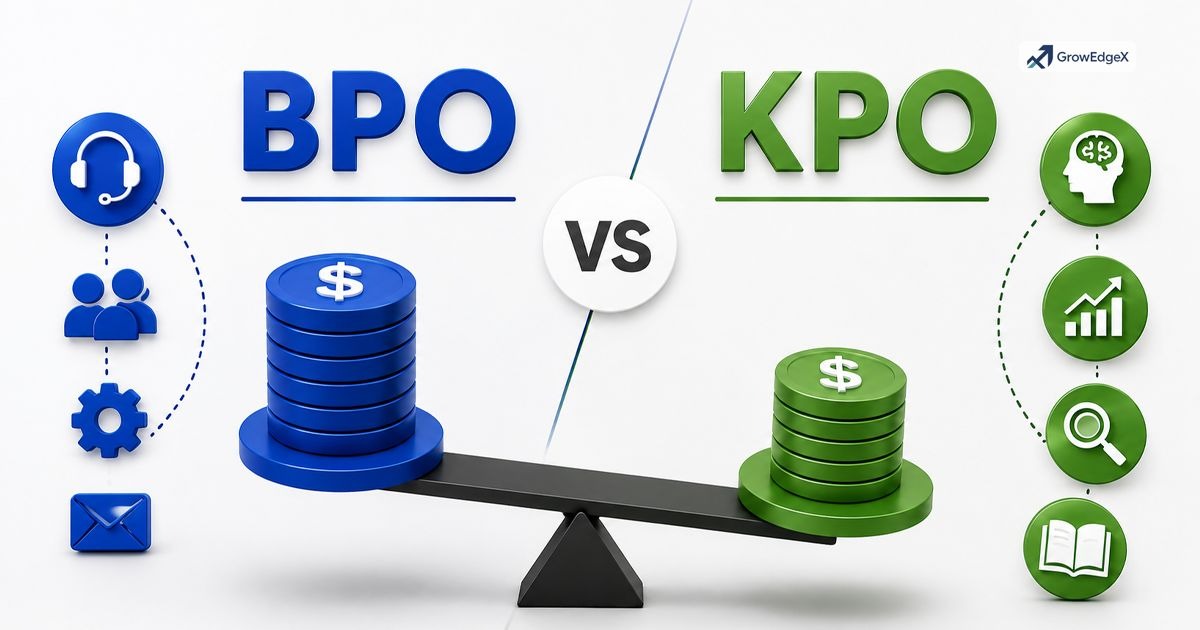
IT outsourcing vs. BPO
| Feature | IT Outsourcing | BPO (Business Process Outsourcing) |
| Definition | Outsourcing IT-related tasks and services to external providers | Outsourcing non-core business processes to third-party providers |
| Focus Area | Technology, systems, and infrastructure | Business operations and processes |
| Primary Services | Software development, cloud services, cybersecurity, IT support | Customer support, call centers, data entry, HR, finance, back-office |
| Technical Level | Highly technical and specialized | Process-driven, may or may not require technical expertise |
| Goal | Improve IT efficiency, innovation, and system performance | Reduce operational costs and improve process efficiency |
| Examples | IT help desk, infrastructure management, app development | Call center outsourcing, payroll processing, billing services |
| Industries | Tech companies, startups, enterprises with IT needs | Healthcare, finance, eCommerce, legal, customer service industries |
| Cost Structure | Project-based or monthly IT service contracts | Per-process, per-task, or full-time employee (FTE) model |
| Skill Requirements | IT engineers, developers, cybersecurity experts | Customer service reps, data processors, virtual assistants |
| Scope | Limited to IT functions | Covers multiple business functions beyond IT |
Outsourcing vs. offshoring
| Feature | Outsourcing | Offshoring |
| Definition | Hiring a third-party company to handle specific tasks or services | Moving business operations to another country (may or may not involve a third party) |
| Focus | Who performs the work (external provider) | Where the work is performed (different country) |
| Third-Party Involvement | Always involves an external vendor | Can be internal (own team abroad) or external |
| Location | Can be local, nearshore, or offshore | Always international |
| Goal | Reduce costs, access expertise, improve efficiency | Reduce labor costs, access global talent, expand globally |
| Control Level | Less direct control (depends on vendor) | More control if using own offshore team |
| Examples | Hiring an agency for IT support or customer service | Setting up a company office in another country |
| Flexibility | High flexibility (choose vendor anytime) | Less flexible if building your own offshore team |
| Cost Structure | Pay per project, service, or contract | Cost savings from lower wages and operational costs |
| Best For | Businesses needing specialized skills or quick scaling | Companies looking for long-term global expansion |
Types of IT Outsourcing
Not every outsourcing arrangement looks the same, and the location and depth of the relationship change everything from cost to communication style. Businesses generally pick a model based on budget, time zone needs, and how much control they want to keep in-house. Getting this choice right early on saves a ton of frustration down the road.
Below is a quick breakdown of the main outsourcing models American companies choose from today.
| Model | Location | Best For |
| Offshore | Different continent, distant time zone | Lowest cost, large development teams |
| Nearshore | Neighboring country, similar time zone | Balance of cost savings and real-time collaboration |
| Onshore | Same country | Strongest communication, data compliance, cultural fit |
| Fully managed | Any location | Complete IT department replacement |
| Co-managed | Any location | Support alongside an existing in-house IT team |
Offshore IT outsourcing
Offshore outsourcing sends work to a provider located far away, often in a different time zone entirely, such as US companies partnering with firms in India or the Philippines. The appeal is cost.
Labor rates in these regions run significantly lower than US rates, which makes offshore outsourcing attractive for large-scale software development or long-term support contracts. The tradeoff comes in communication delays and occasional cultural or scheduling friction.
Nearshore IT outsourcing
Nearshore outsourcing keeps the cost benefits while shrinking the distance. US businesses often partner with providers in Mexico, Canada, or Latin America, where time zones overlap closely with US business hours.
This makes real-time collaboration much easier than offshore work, without paying full onshore rates. It’s become a popular middle-ground choice for companies that want savings without sacrificing responsiveness.
Onshore IT outsourcing
Onshore outsourcing means hiring a provider within your own country. You lose some of the cost advantage compared to offshore or nearshore, but you gain smoother communication, easier compliance with US data laws, and a shared cultural context that reduces misunderstandings. Many businesses handling sensitive data, like healthcare or finance, lean toward onshore providers for exactly this reason.
Fully managed services
A fully managed model hands over your entire IT function to one provider. They monitor your network, manage your infrastructure, run your helpdesk, and handle cybersecurity, essentially operating as your outsourced IT department. This works well for small and mid-sized businesses that don’t want to build an internal team at all.
Co-managed services
Co-managed IT blends outsourced support with an existing internal team. Maybe you already have one IT person handling daily requests, but they need backup for bigger projects, after-hours coverage, or specialized security work. A co-managed arrangement fills those gaps without replacing your current staff, giving you flexibility on both sides.
IT Outsourcing Services & Areas
IT outsourcing services span a wide range of technical work, and most providers specialize in a handful of areas rather than trying to do everything. Knowing which services actually apply to your business helps you avoid paying for a bloated contract full of things you’ll never use.
Here’s a look at the core categories companies most commonly outsource.
| Service Area | What It Covers |
| Software development | Custom apps, web platforms, integrations |
| Cloud services | Migration, hosting, storage management |
| Cybersecurity | Threat monitoring, firewalls, compliance |
| Technical support | Helpdesk, troubleshooting, user assistance |
| Infrastructure management | Servers, networks, hardware upkeep |
| IT consulting | Strategy, roadmaps, project oversight |
| Day-to-day operations | Routine maintenance, patching, monitoring |
Software development
Application development outsourcing lets businesses build custom software without hiring an entire internal engineering team. Providers handle everything from initial design through testing and deployment, often working with agile sprints so you see progress every couple of weeks rather than waiting months for a finished product.
Cloud services
Cloud service providers help businesses migrate from old, on-site servers to flexible, remote infrastructure like AWS, Azure, or Google Cloud. This shift supports digital transformation services by cutting hardware costs and letting teams scale storage or computing power up or down based on demand, rather than overpaying for capacity they rarely use.
Technical support
IT support services cover the everyday troubleshooting that keeps employees productive, password resets, software glitches, hardware failures, and general helpdesk requests.
Outsourcing this function means employees get quick answers without pulling a senior engineer away from bigger projects.
Infrastructure management
This covers the physical and virtual backbone of your operations: servers, networks, storage systems, and the IT infrastructure services that keep everything connected. A provider monitors uptime, handles upgrades, and fixes issues before they turn into costly downtime.
IT consulting & project support
Sometimes a business doesn’t need ongoing support so much as expert guidance. IT consultants assess your current systems, recommend improvements, and help plan bigger initiatives like a software rollout or a full infrastructure overhaul, acting as strategic partners rather than day-to-day operators.
Why Businesses Choose IT Outsourcing
Why companies outsource IT comes down to a mix of financial sense and practical necessity. Building an entire in-house tech department costs far more than most businesses realize once you factor in salaries, benefits, training, and equipment. Outsourcing turns that fixed, expensive overhead into a flexible, predictable expense.
Beyond the money, outsourcing solves a talent problem that’s only gotten worse. Skilled IT professionals, especially in cybersecurity and cloud computing, are in short supply and command high salaries. Partnering with global outsourcing firms gives smaller businesses access to that same level of expertise without competing for scarce local talent.
Cost reduction and efficiency
Cost reduction strategies remain a top driver, even as priorities shift toward value and long-term sustainability. Outsourcing converts a fixed IT payroll into a variable expense that scales with actual need, which frees up capital for other parts of the business.
Access to specialized expertise
Few companies can afford a full-time expert in every IT specialty. Outsourcing gives you on-demand access to niche skills, whether that’s a cloud architect, a penetration tester, or a mobile app developer, without a long-term salary commitment.
Improved productivity
When routine IT tasks move off your internal team’s plate, they get their time back for higher-value work. This operational efficiency improvement shows up across the whole business, not just in the IT department.
Scalability and flexibility
Outsourced teams can grow or shrink with your business needs. Launching a new product and need five extra developers for three months? An outsourcing partner can staff that up fast, something an internal hiring process simply can’t match in speed.
Benefits and Risks of IT Outsourcing
Every business decision comes with tradeoffs, and IT outsourcing is no exception. Understanding both sides upfront helps you set realistic expectations and avoid nasty surprises once the contract is signed.
Key benefits of outsourcing IT
Benefits of IT outsourcing include lower operating costs, faster project timelines, access to specialized skills, and round-the-clock support coverage across time zones.
Businesses also gain flexibility since contracts can scale up or down as needs change, something that’s much harder to do with a fixed internal payroll.
Risks and challenges
Risks of outsourcing services include communication gaps, quality control issues, and the loss of some day-to-day control over how work gets done.
Time zone differences can slow down urgent fixes, and cultural mismatches occasionally cause friction in expectations around deadlines or quality standards.
Hidden costs of outsourcing
The sticker price on a contract rarely tells the whole story. Hidden costs of outsourcing often include transition expenses while onboarding a new vendor, management time spent overseeing the relationship, and potential rework if quality falls short of expectations. Always ask a provider to lay out every fee before signing anything.
Limitations of IT outsourcing
Outsourcing isn’t a fix for every problem. Highly sensitive, proprietary work sometimes benefits from staying in-house, and businesses with very unique or complex systems may find outside teams need extra ramp-up time to get up to speed. It works best as a strategic tool, not a blanket solution for every IT need.
IT Outsourcing Models & Pricing
Outsourcing pricing models explained simply: providers typically charge one of a few standard ways, and each fits different project types better than others.
| Pricing Model | How It Works | Best Fit |
| Fixed price | Set cost for defined scope | Well-defined, short-term projects |
| Time and materials | Billed by hours worked | Evolving or long-term projects |
| Dedicated team | Monthly fee per team member | Ongoing development needs |
| Managed services retainer | Flat monthly fee for full support | Continuous IT operations |
Pricing models in IT outsourcing
Fixed-price contracts work well when the scope is crystal clear from the start, like building a specific app feature. Time and materials billing suits projects that evolve as they go, since you pay only for actual hours logged.
A dedicated team model puts specific people on your project full time for a flat monthly rate, while managed services retainers cover ongoing support under one predictable payment.
Factors affecting outsourcing costs
Location plays a huge role, since onshore rates run higher than offshore ones. Project complexity, required expertise level, and contract length also shift pricing significantly. A simple helpdesk contract costs far less than a full cybersecurity overhaul requiring specialized certifications.
Cost comparison strategies
Rather than chasing the cheapest quote, compare providers on value delivered per dollar. Request detailed breakdowns from at least three outsourcing vendors, check what’s included versus billed separately, and factor in the hidden costs mentioned earlier before making a final call.
How to Choose the Right IT Outsourcing Firm
How to choose outsourcing provider decisions right the first time saves enormous headaches later. This is a partnership, not just a purchase, so the fit matters as much as the price tag.
Technical capabilities to evaluate
Check the provider’s track record with projects similar to yours. Ask for case studies, certifications, and references from past clients in your industry. A provider strong in cloud migration might not be the right fit for a cybersecurity-heavy contract.
Soft skills and communication
Technical skill means little without clear communication. Look for providers who respond quickly, explain things in plain language, and set up regular check-ins rather than disappearing between milestones.
Budget and pricing fit
Match the provider’s pricing model to your actual needs and cash flow. A startup with unpredictable workloads might prefer time and materials billing, while an established company might want the predictability of a managed services retainer.
Questions to ask vendors
Ask about their outsourcing service level agreement SLA terms, data security protocols, escalation processes for urgent issues, and how they handle staff turnover on your account. Their answers reveal a lot about how professionally they run their operation.
Comparing outsourcing providers
Build a simple scorecard covering cost, expertise, communication style, and client reviews. Weight each category based on what matters most to your business, then compare providers side by side rather than relying on gut feeling alone.
Why Businesses Trust GrowEdgeX for IT Outsourcing Services
Businesses across Plano choose GrowEdgeX as their IT outsourcing firm because the team pairs technical depth with genuinely responsive communication, something that’s surprisingly rare in this industry.
GrowEdgeX builds enterprise outsourcing solutions around each client’s actual needs rather than pushing a one-size-fits-all package, covering everything from remote IT teams for software development to cloud migration support.
What sets the firm apart is a clear commitment to transparent contract-based services and measurable results. Clients get straightforward SLAs, dedicated account management, and a partner who treats their business goals as the actual priority, not just another support ticket.
For companies searching for a reliable IT outsourcing firm that delivers both cost savings and real technical expertise, GrowEdgeX has built a reputation worth checking out.
Outsourced IT Support: Dallas & Austin Services
Businesses in Texas often want more than a remote vendor somewhere across the country. They want an IT outsourcing firm that understands the local market, shows up when needed, and speaks the same time zone as everyone else on the team.
Whether you’re running a growing company in Dallas or a fast-moving startup in Austin, local outsourced IT support brings a level of responsiveness that pure offshore or nationwide providers sometimes can’t match.
That local presence matters most when something breaks at 5 p.m. on a Friday. A provider who knows your city, your business community, and your compliance environment tends to solve problems faster and communicate with less friction than a distant call center ever could.
IT outsourcing Dallas
Dallas has grown into one of the busiest tech hubs in Texas, and local businesses lean on outsourced IT partners to keep pace with that growth. IT outsourcing Dallas companies typically offer everything from software management monitoring to cloud migration, tailored to the fast-paced industries clustered around the metro, including finance, healthcare, and logistics.
Working with a Dallas-based provider means faster onsite visits when hardware issues pop up and account managers who actually understand the local business landscape.
Dallas outsourced IT services
Dallas outsourced IT services cover the full range of day-to-day support a growing company needs, helpdesk tickets, network monitoring, data backups, and ongoing infrastructure management.
Many Dallas businesses choose a co-managed model, pairing outsourced specialists with a small internal team, which gives them local hands-on support without the overhead of hiring an entire IT department from scratch.
IT outsourcing Austin
Austin’s tech scene moves fast, packed with startups and mid-sized companies that need flexible, scalable IT support. IT outsourcing Austin providers tend to specialize in software development and cloud services, matching the city’s strong startup culture and its steady stream of new digital products. Companies here often want a partner who can scale support up quickly during growth spurts and dial it back just as easily when things settle.
Outsourced IT services near me
Searching for outsourced IT services near me usually means one thing: you want a provider who can respond fast, meet in person when it counts, and understand your local business environment without a lengthy onboarding period. Local providers cut down on communication delays and offer the kind of face-to-face trust that remote-only vendors can’t always replicate.
Why choose GrowEdgeX for local IT outsourcing in Texas
For businesses in Dallas, Austin, and across Texas, GrowEdgeX stands out as an IT outsourcing firm that combines local responsiveness with enterprise-level expertise. The team understands the pace of Texas business, offering remote IT teams alongside on-the-ground support so companies get the best of both worlds, fast local service and the deep technical bench of a larger outsourcing partner.
GrowEdgeX builds every engagement around clear service level agreements, transparent pricing, and dedicated account management, so Dallas and Austin businesses always know exactly what they’re getting. If you need full-scale managed IT services, GrowEdgeX has built a reputation as a trusted, locally minded IT outsourcing firm that Texas companies keep coming back to.
FAQ’s
What is IT outsourcing in simple terms?
IT outsourcing means paying an outside company to handle technology tasks, like software development or IT support, instead of hiring full-time staff to do that work internally.
What is the difference between outsourcing and offshoring?
Outsourcing means hiring an external company for work, regardless of location. Offshoring specifically means outsourcing to a provider in another country, usually to reduce labor costs.
How much does IT outsourcing cost?
Costs vary widely based on service type, provider location, and contract model, ranging from hourly rates for small projects to flat monthly fees for full managed services covering an entire IT department.
Is IT outsourcing safe for sensitive business data?
It can be, as long as the provider follows strong security practices and relevant compliance standards. Always review a vendor’s data protection policies and certifications before signing a contract.
What industries outsource IT the most?
Finance, healthcare, retail, and technology companies outsource IT heavily, largely due to strict compliance needs, high security demands, and the constant push for faster digital innovation.
Conclusion
IT outsourcing gives businesses a smarter way to access top-tier tech talent without the cost and complexity of building everything in-house. From building custom applications to protecting your network from threats, the right outsourcing partner can save money, boost efficiency, and help your company scale faster than going it alone.
Whether you choose offshore, nearshore, or onshore support, the key lies in picking a provider who understands your goals and communicates clearly. As technology keeps evolving, IT outsourcing isn’t just a cost-cutting move anymore; it’s a genuine competitive advantage for businesses ready to grow.