Running a business means paying people, and that’s where payroll comes in. If you’ve ever wondered “what is payroll,” you’re not alone. Every founder, manager, and HR professional runs into this question sooner or later.
Payroll sits at the center of every company’s finances. Get it wrong, and you risk fines, unhappy employees, and sleepless nights. Get it right, and your team trusts you, your books stay clean, and the IRS stays off your back.
This guide walks you through everything: what payroll means, how payroll works, how to calculate payroll taxes, and the payroll step-by-step process you need to run it smoothly. By the end, you’ll know exactly how to manage payroll efficiently, whether you handle it manually or lean on payroll automation software.
What Is Payroll?
Payroll is the total amount a company pays its employees over a set period, plus the entire process behind it. It covers wages, salaries, bonuses, and deductions. It also includes the paperwork, tax filings, and record-keeping that come with paying people legally and on time.
Think of payroll as a bridge. On one side sits your employee’s labor. On the other side sits their paycheck. In between, a lot happens: hours get tracked, taxes get calculated, and money moves from your business account to their bank account.
This is the heart of any payroll processing system, and it touches nearly every department in a company, from HR to finance to legal.
Why Is Payroll Important?
Payroll isn’t just an administrative task you check off a list. It’s a legal obligation, a trust-builder, and a financial-planning tool all rolled into one. Employees expect accurate, on-time pay. Miss that, and morale drops fast. Federal and state agencies expect accurate tax filings too, and missing those deadlines brings penalties.
Beyond compliance, payroll data feeds into your bigger financial picture. It affects your budgeting, your cash flow forecasts, and your understanding of labor costs. A messy payroll system creates messy books. A clean one gives you a clear view of where your money goes, which is why payroll accounting process accuracy matters so much for growing businesses.
Payroll Explained
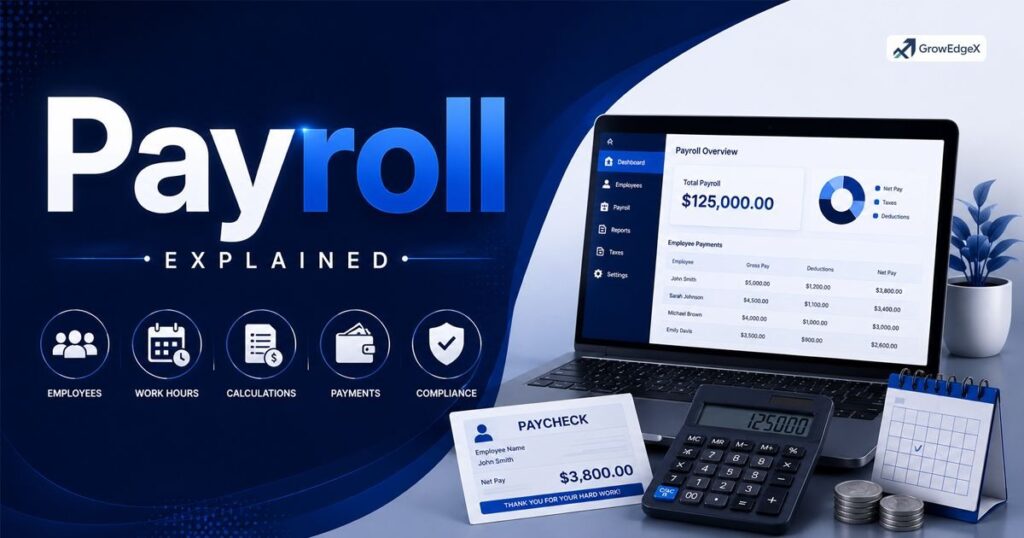
Payroll might sound simple on the surface, but several moving parts work together behind every paycheck. Understanding each piece helps you see how employee wage calculation actually happens and why small errors can snowball into big problems.
Employee Information
Before you can pay anyone, you need their details. This includes their legal name, address, Social Security number, tax withholding elections (via Form W-4), and banking information for direct deposit.
Accurate payroll data management starts right here. If this information is wrong or outdated, everything downstream breaks, from tax withholding to year-end W-2 forms.
Gross Wages
Gross wages are the total amount an employee earns before any deductions. For hourly workers, this means hours worked multiplied by their hourly rate, plus overtime where applicable.
For salaried employees, it’s usually a fixed amount per pay period. This number is the starting point for the entire salary payment process.
Deductions and Withholdings
Once you know gross wages, you subtract deductions. Some are mandatory, like federal income tax, Social Security, and Medicare. Others are voluntary, like health insurance premiums or 401(k) contributions.
These are collectively known as payroll tax deductions, and getting them right keeps both you and your employees compliant.
Net Pay
Net pay is what’s left after all deductions are taken from gross wages. This is the actual amount deposited into an employee’s bank account or handed over as a paycheck.
Many people confuse gross and net pay, so explaining this clearly to your team builds trust and cuts down on confused questions every payday.
Employer Contributions
Employers don’t just withhold taxes from employees; they also pay their own share. This includes matching Social Security and Medicare contributions, federal and state unemployment taxes, and sometimes contributions to retirement plans or health benefits. These costs add up and belong in your payroll financial reporting.
Payroll Taxes
Payroll taxes fund programs like Social Security, Medicare, and unemployment insurance. Employers must calculate, withhold, and remit these taxes correctly and on time. Missing a payroll tax filing deadline can trigger penalties from the IRS, so many businesses build reminders or automated systems around this step.
Compliance
Compliance means following every federal, state, and local law tied to paying employees. This covers minimum wage laws, overtime rules under the Fair Labor Standards Act, tax filing deadlines, and recordkeeping requirements. Strong knowledge of payroll compliance regulations protects your business from audits and lawsuits.
Explore More Insights: Bookkeeping Software 2026: Best Picks for US Small Businesses
What Are Payroll Taxes?
Payroll taxes are mandatory contributions taken from both employer and employee paychecks to fund government programs. On the employee side, this includes federal income tax, state income tax (where applicable), Social Security (6.2%), and Medicare (1.45%).
On the employer side, you match Social Security and Medicare, plus pay federal and state unemployment taxes. These funds support retirement benefits, healthcare for seniors, and unemployment assistance for workers who lose their jobs.
What Are Payroll Deductions?
Payroll deductions are amounts subtracted from an employee’s gross pay before they receive their net paycheck.
Mandatory deductions include taxes required by law. Voluntary deductions include things employees choose, like health insurance, retirement contributions, or wage garnishments ordered by a court.
Understanding this difference helps employees make sense of their pay stubs and helps employers stay organized.
How Does Payroll Work?
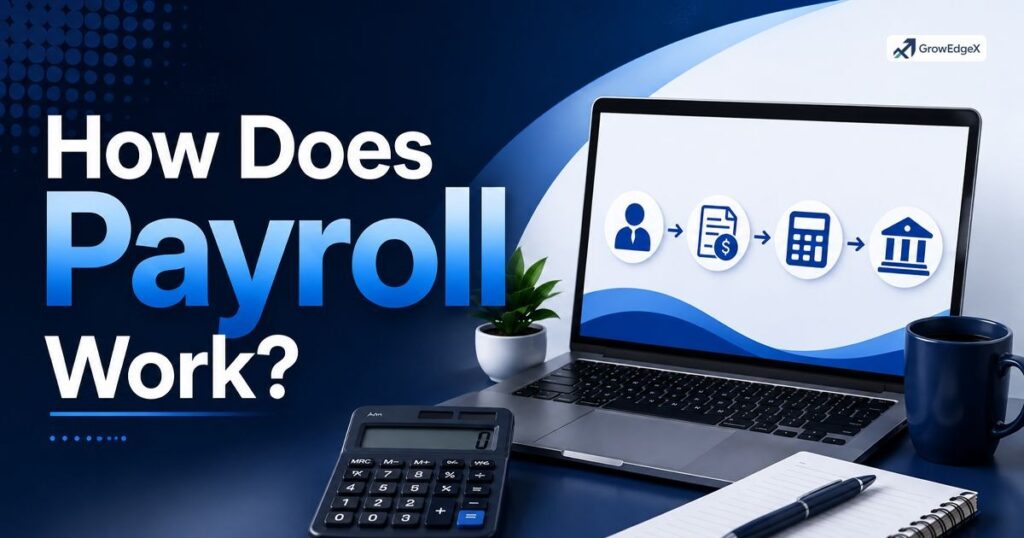
So, how does payroll work in practice? It starts with tracking hours or confirming salaries, moves through calculating gross pay, then subtracts taxes and deductions to land on net pay. After that, the employer distributes payment and files the required tax reports.
This cycle repeats every pay period, whether that’s weekly, biweekly, or monthly. Behind the scenes, a payroll management system keeps everything organized, from employee records to tax filings.
Small businesses often start with manual spreadsheets, but as headcount grows, most switch to dedicated software to reduce errors and save time.
What Is Payroll Frequency?
Payroll frequency refers to how often a company pays its employees. The most common options in the USA are weekly, biweekly, semimonthly, and monthly. Weekly pay means 52 paychecks a year, while biweekly means 26. Semimonthly pay happens twice a month on fixed dates, usually the 1st and 15th, resulting in 24 paychecks a year.
Choosing the right frequency depends on your industry, cash flow, and employee preferences. Many states also have laws dictating minimum payroll frequency, so check your local requirements before deciding. This directly answers the common question: how often should employees be paid?
| Pay Frequency | Paychecks Per Year | Common Industries |
| Weekly | 52 | Construction, retail |
| Biweekly | 26 | Tech, professional services |
| Semimonthly | 24 | Corporate, salaried roles |
| Monthly | 12 | Executive, some small businesses |
Essential Financial KPIs
Tracking payroll isn’t just about cutting checks. Smart businesses monitor key performance indicators tied to labor costs. Labor cost percentage shows how much of your revenue goes toward payroll.
Overtime costs reveal whether you’re overworking a small team instead of hiring. Payroll accuracy rate tracks how often errors occur, and turnover cost measures how much replacing employees drains your budget. Watching these numbers helps you manage compensation strategically instead of reactively.
5 Employer Payroll Responsibilities
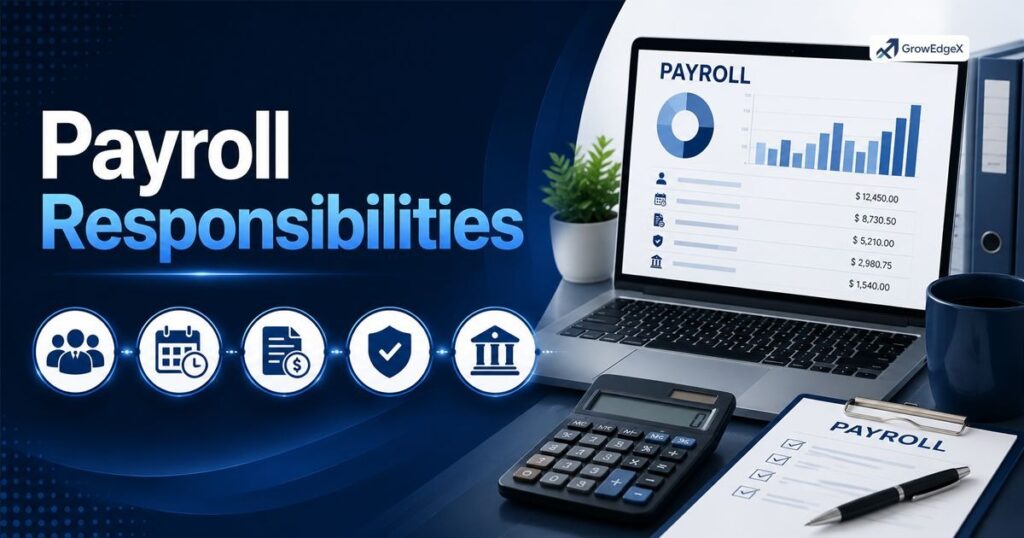
Running payroll comes with real legal duties. First, you must classify workers correctly as employees or independent contractors, since misclassification brings serious penalties. Second, you must withhold the correct taxes from every paycheck. Third, you need to deposit those withheld taxes with the IRS and state agencies on schedule.
Fourth, you must file quarterly and annual payroll tax returns, including Form 941 and Form 940. Fifth, you’re responsible for providing year-end tax documents like W-2s to employees and 1099s to contractors. Skipping any of these payroll responsibilities of employers can lead to audits, back taxes, and penalties that hurt your bottom line.
IRS Employment Tax Documents Checklist
- Form W-4 (Employee’s Withholding Certificate)
- Form W-2 (Wage and Tax Statement)
- Form 941 (Employer’s Quarterly Federal Tax Return)
- Form 940 (Federal Unemployment Tax Return)
- Form 1099-NEC (for independent contractors)
- Form I-9 (Employment Eligibility Verification)
Payroll Processing Methods
Businesses generally choose between three approaches to run payroll: manual processing, professional payroll services, or payroll software. Each method has trade-offs in cost, accuracy, and time investment, so the right pick depends on your company’s size and budget.
Manual payroll works for very small teams but grows risky as headcount increases, since a single math error can trigger tax problems. A payroll service provider takes the work off your plate entirely but costs more monthly. Payroll software sits in the middle, automating calculations while keeping control in your hands.
How to Process Payroll?
Running payroll the right way follows a clear payroll step by step process. Missing a step, even a small one, can throw off an entire pay cycle.
Choose a Payroll System
Decide whether you’ll run payroll manually, hire a service provider, or use software. This decision shapes every other step, so weigh your budget, team size, and comfort with tax rules before committing.
Create a Payroll Policy
Document your pay schedule, overtime rules, and deduction policies in writing. A clear policy prevents confusion and protects you if disputes ever arise with an employee.
Gather Employee Information
Collect W-4 forms, banking details, and personal information from every new hire before their first payday. Keep this data updated whenever an employee’s situation changes.
Set Up Direct Deposit
Most employees expect direct deposit today. Setting this up through your bank or payroll provider speeds up the employee payment system and cuts down on lost or delayed checks.
Establish a Time-Tracking System
For hourly employees, accurate time tracking is non-negotiable. Whether you use a physical time clock or software, this system feeds directly into gross wage calculations.
Collect Employee Timesheets
Gather completed timesheets before each pay run. Review them for missing punches or unusual overtime before moving forward, since errors here cause errors everywhere else.
Record Employee Hours
Log verified hours into your payroll system. This step turns raw timesheet data into numbers you can actually calculate pay from.
Calculate Gross Pay
Multiply hours worked by pay rate for hourly staff, or confirm the fixed salary amount for salaried staff. Add any bonuses, commissions, or overtime pay owed for the period.
Calculate and Withhold Deductions
Subtract mandatory taxes and voluntary deductions from gross pay. This step is where questions about how to calculate payroll taxes usually come up, since federal, state, and local rules can differ.
Approve and Submit Payroll
Have a manager or business owner review the final numbers before submission. Once approved, submit payroll through your chosen system for processing.
Submit Payroll Taxes
Deposit withheld taxes with the IRS and applicable state agencies according to your deposit schedule, which is usually monthly or semiweekly depending on your tax liability size.
Update General Ledger Accounts
Record payroll expenses in your accounting books. This keeps your financial statements accurate and ready for tax season or investor reporting.
Essential Payroll System Components
A strong payroll system needs several core pieces working together. You need accurate employee records, a reliable time-tracking method, a tax calculation engine, and a payroll reporting system that generates pay stubs, tax filings, and year-end forms automatically.
Beyond the basics, look for payroll benefits administration features if you offer health insurance or retirement plans. Integration with your accounting software also matters, since it saves hours of manual data entry and reduces the chance of costly mistakes slipping through.
Payroll Differences: W2 vs. 1099
Understanding the difference between W-2 employees and 1099 contractors shapes how you run payroll. Misclassifying a worker is one of the most common and costly payroll errors businesses make.
Employer Status
W-2 workers are employees under your direct control regarding how, when, and where they work. 1099 workers are independent contractors who control their own schedule and methods.
Taxes and Withholdings
Employers withhold income tax, Social Security, and Medicare from W-2 paychecks. Contractors receive gross pay with no withholding and handle their own self-employment taxes.
Benefits
W-2 employees often receive benefits like health insurance, paid time off, and retirement plans. 1099 contractors typically receive none of these from the hiring business.
Payroll Process
W-2 pay runs through your full payroll system with tax calculations. 1099 payments are simpler, usually just gross payment tracked for annual 1099-NEC reporting.
Legal Protections
W-2 employees have protections under labor laws, including minimum wage and overtime rules. Contractors generally fall outside these protections since they’re considered self-employed.
Manual Payroll
Manual payroll means calculating everything by hand or spreadsheet. It works for very small teams but carries high risk of error as your business grows.
Professional Payroll Services
These services handle calculations, filings, and payments for you. They cost more but remove the burden of staying current on tax law changes.
Payroll Software
Software automates calculations while you retain control. Many small and mid-sized businesses find this the best balance of cost and accuracy, especially with payroll automation software built for their industry.
How Is Payroll Calculated?
Calculating payroll starts with gross pay, then works down to net pay through a series of subtractions. For an hourly employee, multiply hours worked by the hourly rate, add overtime at 1.5 times the regular rate for hours over 40 in a week. For salaried employees, divide annual salary by the number of pay periods in the year.
From gross pay, subtract federal income tax based on the employee’s W-4 elections, Social Security at 6.2%, Medicare at 1.45%, state income tax where applicable, and any voluntary deductions like insurance or retirement contributions.
What remains is net pay, the amount the employee actually takes home. This is the core of employee wage calculation, and even small rate errors compound quickly across a full year.
7 Payroll Best Practices
Running payroll well takes more than just following steps; it takes discipline and the right systems in place.
Automate Where Possible
Manual calculations invite errors. Using payroll workflow automation tools reduces mistakes and frees up hours every pay period.
Stay Current on Tax Law
Tax rates and rules change often. Review IRS updates and state tax notices regularly to avoid falling behind on payroll tax compliance requirements.
Keep Detailed Records
Strong payroll record keeping protects you during audits and helps resolve employee disputes quickly and fairly.
Classify Workers Correctly
Double-check whether each worker qualifies as an employee or contractor before their first payment, since reclassifying later gets messy and expensive.
Set a Consistent Pay Schedule
Employees rely on predictable pay dates. Stick to your chosen frequency without exceptions unless legally necessary.
Separate Payroll Duties
Where possible, split responsibilities like approval and payment submission between two people. This reduces fraud risk and catches errors before they happen.
Review Payroll Reports Regularly
Check your payroll operations management reports each cycle for unusual patterns, like unexpected overtime spikes or duplicate payments.
Automate Your Payroll Process With GrowEdgeX
Running payroll in-house means juggling deductions, tax calculations, and year-end filings on top of everything else on your plate. GrowEdgeX takes that off your hands with dedicated payroll processing coordination, handled by a remote bookkeeping team that works inside the systems you already use, including QuickBooks and Xero.
The team manages deductions, calculates payroll taxes, prepares W-2 and 1099 documents, and keeps your records compliance-ready, all as part of a broader bookkeeping and accounting support package.
GrowEdgeX doesn’t file your taxes directly, but it hands your CPA clean, tax-ready books that cut down on year-end cleanup. Most clients go live within 72 hours after a free financial audit, with no obligation to continue if it’s not the right fit.
For businesses in healthcare, legal, and other industries where payroll gets complicated fast, that kind of dedicated support means fewer errors and far less time lost to admin work. Book a free financial audit to see where your payroll and books currently stand.
FAQ’s
What Is Required for Payroll?
You need employee information, a tax ID number (EIN), accurate time records, a way to calculate gross and net pay, and a system to withhold and remit taxes. Most businesses also need workers’ compensation insurance depending on state law.
What Is a Typical Payroll Cycle?
A typical payroll cycle runs biweekly in the USA, meaning employees get paid every two weeks, resulting in 26 pay periods a year. Some businesses use weekly, semimonthly, or monthly cycles depending on their industry and cash flow needs.
What Is a Payroll Tax Holiday?
A payroll tax holiday is a temporary suspension or deferral of payroll tax collection, usually enacted by the government during economic emergencies. Employers still owe the deferred taxes later unless legislation forgives them.
What Is a Certified Payroll?
Certified payroll is a special weekly payroll report required for contractors working on federal government construction projects. It confirms workers received at least the prevailing wage required under the Davis-Bacon Act.
What Is the Difference Between Salary and Payroll?
| Aspect | Salary | Payroll |
| What it is | A fixed amount of pay one employee earns | The entire system a business uses to pay all employees |
| Scope | Individual. Tied to one person’s compensation | Company-wide. Covers every employee’s pay |
| Includes | Base pay amount only | Gross wages, deductions, taxes, net pay, and filings |
| Who manages it | Set by the employer, received by the employee | Run by HR, accounting, or a payroll provider |
| Frequency | A yearly or set figure (e.g., $60,000/year) | A recurring process (weekly, biweekly, monthly) |
| Example | “Her salary is $75,000 a year.” | “We run payroll every two weeks.” |
Conclusion
Payroll touches every part of your business, from employee trust to legal compliance to financial accuracy. Understanding what payroll is, how payroll works, and how to calculate payroll taxes correctly protects your company from costly mistakes.
Whether you run payroll manually, through a service provider, or with automation software, getting the fundamentals right sets your business up for smoother operations and happier employees.