Every visit to a doctor’s office starts the same way. You sign in, you fill out a form, and you wait. That first step is patient intake, and it shapes everything that happens next. A smooth patient intake process builds trust before a provider even walks in the room.
A messy one does the opposite. It frustrates patients, slows down staff, and costs practices real money. This guide breaks down what patient intake is, why it matters, and how you can fix it for good.
What is patient intake?

Patient intake is the process of collecting a patient’s personal, medical, and insurance details before or during their first visit. Think of it as the front door to your practice. Everything from name and date of birth to insurance ID and current symptoms gets gathered here.
The patient intake process usually covers four things: identity verification, insurance and eligibility checks, medical history, and consent forms. Done well, it feeds accurate data straight into your healthcare intake system. Done poorly, it creates a pile of illegible clipboards and frustrated front-desk staff.
Why a streamlined intake process matters
A clean intake process does more than save a few minutes. It protects your revenue. Registration and eligibility mistakes cause roughly 24% of all claim denials, according to industry research on intake bottlenecks. That’s real money walking out the door before a single service gets billed.
Intake process efficiency also shapes how patients feel about your practice. Nobody enjoys copying the same address onto three different forms. When you streamline patient onboarding, you cut wait times, reduce errors, and free up staff for work that actually needs a human touch. It’s a small fix with a large payoff.
Traditional vs. digital intake: What’s changed?
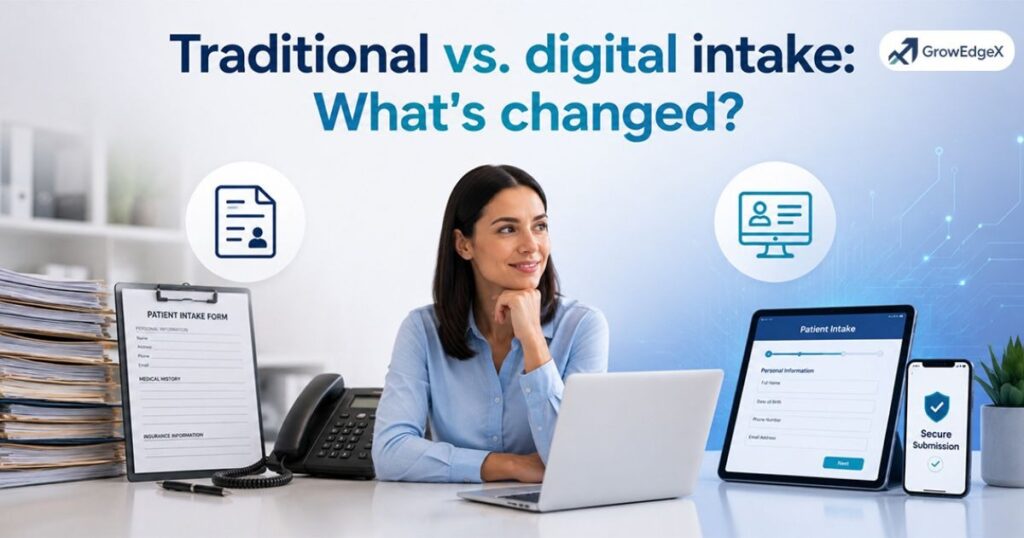
Healthcare has run on paper for decades. That’s finally changing, and the shift matters for anyone still handing out clipboards.
Traditional intake: familiar but flawed
The traditional patient intake process relies on paper forms, clipboards, and manual data entry. A new patient can spend 15 to 20 minutes filling out redundant paperwork, and staff then have to retype every line into the system. That re-entry step is where things go wrong. Studies show manual data entry in healthcare produces error rates between 1% and 4%, and one JAMA Surgery study found paper consent forms carry a 32% error rate, compared to just 1% for electronic versions.
Handwriting gets misread. Insurance numbers get transposed. And each mistake creates rework for billing staff down the line.
Digital intake: designed for efficiency
Digital intake flips the script. Patients fill out digital intake forms on a phone, tablet, or laptop, often before they even arrive. The data flows directly into your electronic health forms and EHR, skipping the manual re-typing step entirely.
This isn’t a small tweak. It’s a healthcare digital transformation that touches scheduling, billing, and clinical care all at once. Practices using a paperless intake system report fewer errors, faster check-ins, and less burnout among front-desk teams.
What patients expect in modern healthcare
Patients today compare their doctor’s office to their bank app or food delivery app, whether that’s fair or not. Patient experience optimization now includes the intake step, not just the visit itself.
Recent research backs this up. About 76% of patients say they’d pick one provider over another simply because it offers online patient forms. And 95% expect every practice to offer digital intake sooner or later. If your practice still hands out a clipboard at check-in, you’re already behind what patients expect.
What happens when intake works
When your intake management system actually works, the ripple effects show up everywhere. Practices with optimized intake see roughly 30% fewer claim denials, a 40% drop in administrative costs, and a 25% bump in patient retention.
Here’s a quick side-by-side of what changes:
| Metric | Traditional intake | Digital intake |
| Average check-in time | 15–20 minutes | Under 5 minutes |
| Data entry error rate | Up to 31–32% | As low as 1% |
| Claim denial impact | Higher, often 24%+ | Significantly reduced |
| Staff time per patient | High (manual entry) | Low (auto-synced) |
Good intake doesn’t just look better. It runs the whole practice better.
Intake and staffing: Doing more with less
Healthcare staffing is stretched thin, and front-desk teams feel it first. A typical staffer can spend 30% to 40% of the workday on intake-related tasks alone: verifying insurance, chasing missing forms, and typing up paperwork.
An automated intake process takes that weight off your team. Instead of buried in data entry, staff can focus on greeting patients, answering questions, and handling the cases that truly need a person. This is patient workflow automation in action, and it’s often the fastest way to get more done without hiring more people.
Read More: Do Medical Bills Affect Your Credit? Debt Collection Guide
10 ways to improve your intake process

Small changes to your patient registration process add up fast. Here are ten places to start.
1. Move forms online before the visit
Send digital patient intake forms by text or email a day or two before the appointment. Patients finish paperwork at home, calmly, instead of rushing in the waiting room.
2. Verify insurance automatically
Real-time eligibility checks catch coverage problems before the visit, not after. Practices using this approach report a 70–90% drop in rejected claims.
3. Integrate forms with your EHR
Standalone forms still create manual re-entry. Connect your electronic patient registration tools directly to your EHR so data flows in automatically.
4. Use conditional logic in your forms
Smart forms only ask relevant questions. A patient with no prior surgeries shouldn’t need to skip past ten surgery-related fields.
5. Offer multiple ways to complete intake
Not every patient is comfortable on a smartphone. Offer a kiosk, tablet, or web link so everyone has an easy path to finish forms.
6. Collect payment details upfront
Capturing a card on file or collecting copays during digital registration secures revenue early and cuts down on backend collection work.
7. Automate appointment reminders
Reminders that link straight to unfinished intake forms nudge patients to complete paperwork before they walk in the door.
8. Train staff on the new workflow
Even the best practice management software fails if staff doesn’t trust it. Short, hands-on training sessions make adoption stick.
9. Audit your forms regularly
Review your intake forms every few months. Drop outdated fields and add ones that reflect new services or compliance rules.
10. Track intake metrics over time
Measure check-in time, error rates, and no-show rates. You can’t improve what you don’t track.
What to look for in a patient intake solution
Not all intake tools are built the same. When you’re comparing a patient intake software solution, a few features matter more than flashy extras.
Look for HIPAA-compliant intake forms with encryption and audit trails, since secure patient data collection is non-negotiable in healthcare. Confirm the tool integrates with your existing EHR and patient scheduling system, because a disconnected tool just creates a second set of records to manage.
Finally, check how the platform handles mobile use. A virtual patient onboarding experience should work just as well on a phone as it does on a desktop.
Intake is the first step toward a smoother workday
Front-desk chaos rarely starts at check-in. It starts the moment intake goes wrong. When forms are clear, data flows automatically, and insurance gets checked ahead of time, the entire day runs smoother.
Providers see patients on time. Staff isn’t buried in paperwork. Billing teams chase fewer denials. A strong clinic onboarding process isn’t just a front-desk fix. It’s the foundation the rest of the day gets built on.
How can digital patient intake forms streamline onboarding?
Once the basics are covered, the next step is thinking about patient onboarding as a full experience, not just a stack of forms.
What is an online patient intake form?
An online patient intake form is a digital version of the standard paperwork, filled out on a phone, tablet, or computer instead of paper.
It covers the same ground: contact details, insurance, medical history, and consent. The difference is where the data goes next. Instead of sitting on a clipboard, it flows straight into your system.
Collect essential patient information with ease
Good patient information forms ask for exactly what’s needed and nothing more. Name, date of birth, insurance ID, current medications, allergies, and reason for visit cover most of what a provider needs before an appointment starts. Skip the redundant fields, and patients finish faster with fewer mistakes.
Top benefits of using digital patient intake forms
Digital forms bring real, measurable gains once a practice makes the switch.
- Reduce patient data entry errors by relying on structured digital fields instead of handwriting
- Cut check-in time so patients spend minutes, not 15 to 20 minutes, on paperwork
- Improve healthcare patient experience scores through a faster, less stressful first visit
- Support intake form automation, so reminders, follow-ups, and missing-field alerts happen without staff lifting a finger
- Save real staff hours over time, with some large health systems reporting over 500 hours of front-desk time saved per provider each year after switching to digital intake
What to look for in a patient intake solution
When you’re shortlisting patient onboarding solutions, prioritize security, integration, and ease of use over flashy dashboards. A tool that’s HIPAA compliant, connects to your EHR, and feels intuitive to both staff and patients will outperform one packed with features nobody uses. Ask vendors for references from practices similar to yours in size and specialty before you commit.
Top 5 patient form intake solutions for onboarding patients fast and effectively
There’s no single “best” tool for every practice, but these categories consistently come up as strong starting points for a digital healthcare solution.
| Solution type | Best for |
| EHR-integrated intake platforms | Practices wanting zero manual re-entry |
| Conversational intake assistants | Clinics wanting richer patient history detail |
| Kiosk-based check-in systems | High-volume clinics and urgent care |
| Text-to-form intake tools | Practices with older or less tech-savvy patients |
| Full practice management suites | Multi-location groups needing one system for everything |
Test two or three options with real patients before rolling one out practice-wide. What works for a solo dermatologist won’t necessarily work for a busy multi-location clinic.
Explore More Insights: 25 Best Patient Intake Software Solutions for Faster Onboarding
Why You Need a GrowEdgeX Intake Coordinator
Fixing your intake process on top of an already busy day is hard, and that’s exactly where GrowEdgeX comes in. GrowEdgeX provides trained intake coordinators and patient care coordinators built specifically for healthcare agencies across the USA, not generic virtual assistants.
Referrals and eligibility handled fast
GrowEdgeX coordinators acknowledge referrals in under 2 minutes, verify insurance eligibility within 30 minutes, and assign clinicians within 25 minutes. That kind of speed keeps your patient scheduling and intake on track from the first phone call.
HIPAA compliance built into every step
Every documentation handoff meets HIPAA standards, and GrowEdgeX holds ISO 27001 and ISO 9001 certification. If your agency serves Medicare, private duty, hospice, or multi-location networks anywhere in the Plano, Texas, GrowEdgeX coordinators can plug in fast, often within two weeks. If you want fewer dropped referrals and a faster start of care, book a free strategy call with GrowEdgeX and see how their intake coordination model fits your team.
FAQ’s
How long should a good patient intake process take?
A well-designed modern patient intake process should take a patient under 5 minutes if forms are completed digitally before arrival. In-office paper intake often runs 15 to 20 minutes instead.
Is digital patient intake actually HIPAA compliant?
Yes, as long as the vendor uses encryption, secure storage, and audit trails. Always confirm HIPAA-compliant intake forms and a signed Business Associate Agreement before choosing a tool.
Can small practices afford a digital intake system?
Most digital patient intake forms platforms offer tiered pricing, so small practices can start with basic features and scale up. The time saved on manual entry often covers the cost within months.
Does digital intake reduce claim denials?
Yes. Real-time eligibility checks at intake catch coverage issues early, and some practices report claim denial drops of 30% or more after switching.
What’s the biggest mistake practices make with intake?
Treating intake as “just paperwork” instead of a core part of the patient communication system. Practices that invest in it see better retention and fewer costly errors.
Conclusion
Patient intake sets the tone for every visit that follows. A slow, paper-heavy process frustrates patients and buries staff in rework. A streamlined, digital intake process does the opposite: it saves time, cuts errors, and helps practices reduce paperwork in healthcare for good.
Whether you upgrade your forms, add automated eligibility checks, or bring in dedicated intake coordinators, the goal stays the same. Get patients checked in faster, get their information right the first time, and free your team to focus on care instead of clipboards.